Case Study
DesignCrit.ai — Instant Design Feedback in Figma
Giving designers confidence through instant, structured feedback when working solo—an AI-powered Figma plugin that fills the gap when human feedback isn't immediately available.
Last Updated: January 2026.
Quick Links
Product Landing: https://designcrit.ai
Figma Plugin: Figma.com/community/plugin/designcrit-ai
Why I Built This
Over the years working with remote design teams, I kept hearing the same frustration from designers:
"I wish I could get quick feedback on things when it's just me working remote and I don't have anyone to bounce ideas off to get a gut check on my designs."
It usually came up during 1:1s or team meetings. A designer would share a mockup and apologize for asking a "small question" about spacing, color choice, or hierarchy. They didn't want to interrupt someone's flow for a 30-second gut check.
This hit me because I've felt the same thing. Working remotely means you lose those hallway moments—leaning over to a colleague and asking, "Does this feel right?" Those micro-feedback loops used to happen naturally in an office. Now, every question requires a Slack message, a meeting invite, or waiting until someone has time.
The result? Designers ship work they're less confident about. They second-guess themselves more. Junior designers hesitate to ask for help because they don't want to seem incapable. Everyone iterates slower.

I couldn't solve remote work isolation entirely. But I could build something to fill the gap when you just need a quick gut check before asking a human for deeper review.
Version 1: Ship It Fast, Learn Fast
I'd built something similar years ago at my agency—an AI homepage critique tool using IBM Watson. Back then, I had to manually train it with hundreds of screenshots. It was tedious and the results were mediocre at best.
But modern LLMs are different. They can analyze images and provide structured critique out of the box. So I decided to test the idea with a Figma plugin—designers live in Figma, so that's where the tool should be.
The First Prototype
I built a working plugin in about two months. Vanilla HTML, JavaScript, and the Figma Plugin API. The core idea was simple:
- Select any layer or frame in Figma
- Pick a critique persona (Senior Designer, Marketer, Hiring Manager)
- Pick feedback criteria (Hierarchy, Typography, Color, Usability, etc.)
- Get instant AI feedback
The persona selection mattered more than I expected. A "Senior Designer" persona gave tactical UI feedback, while a "Marketer" persona focused on conversion and messaging. Same design, completely different critique.
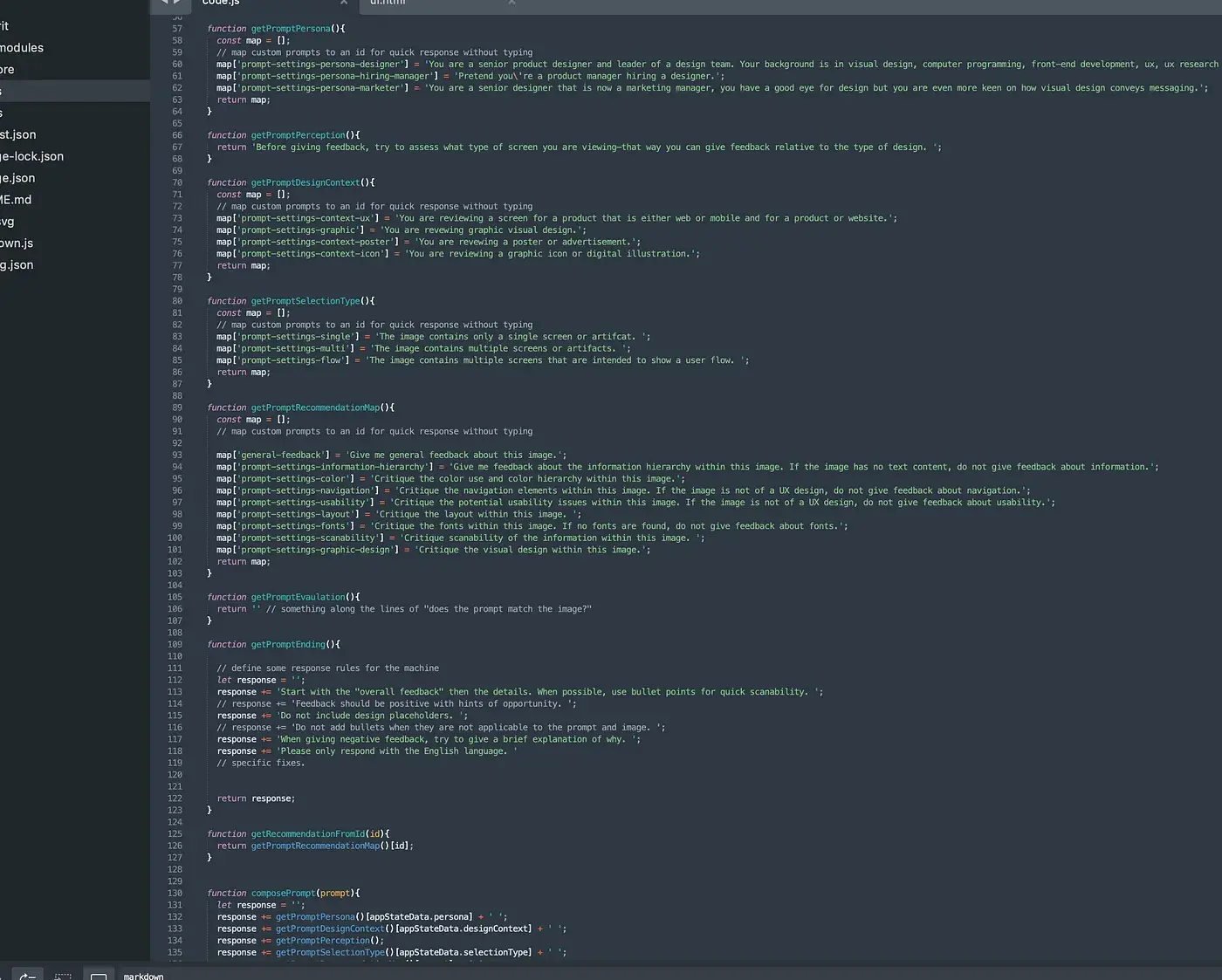
I tested OpenAI and Google Cloud AI. Google Gemini gave slightly more consistent design critique, so I went with that. The one risk: Google Cloud AI has no budget limits. If the plugin went viral overnight, I could wake up to a massive bill. I added request throttling to avoid disaster.
Shipping in Two Hours
Once it worked well enough, I shipped it. I grabbed the domain DesignCrit.ai, threw together a landing page, and published the plugin to the Figma community. Within two hours of deciding it was "good enough," it was live.
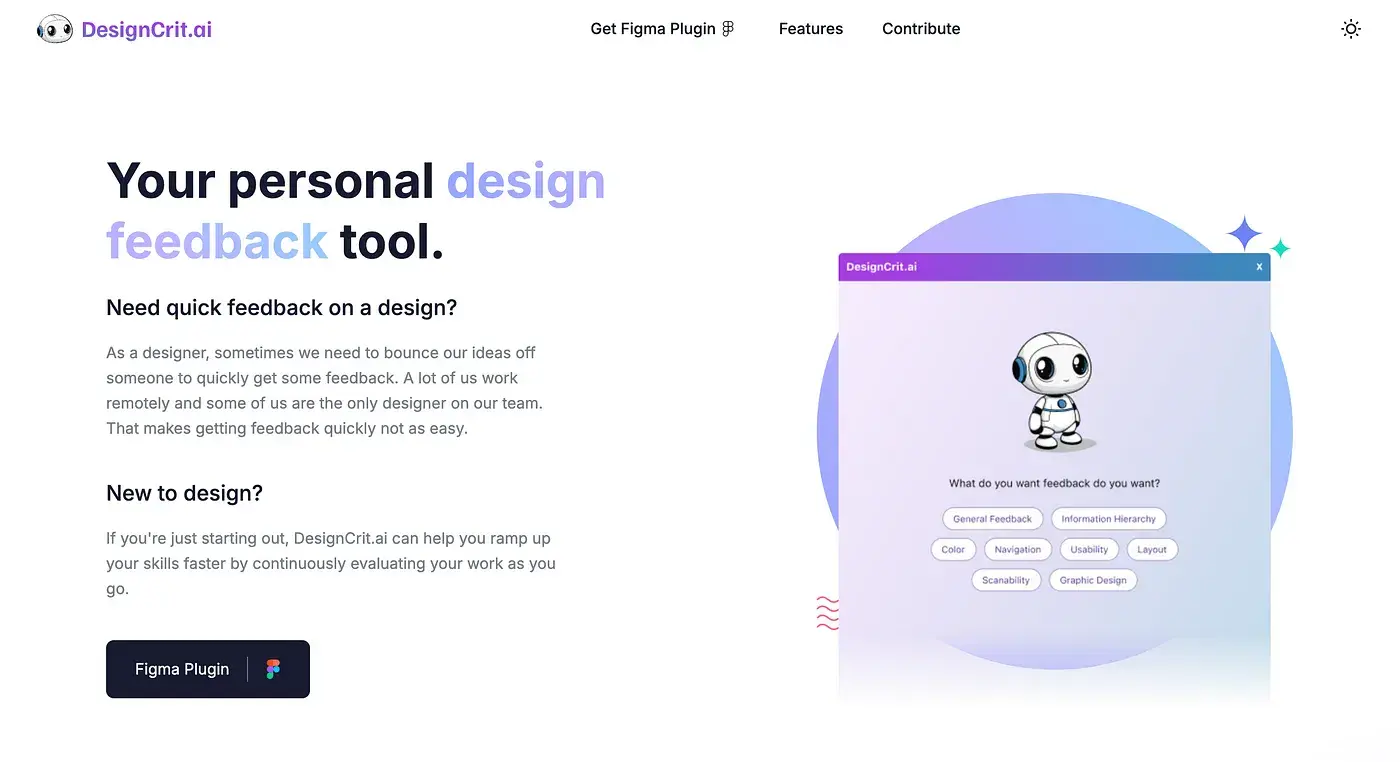
I posted on LinkedIn asking designers to test it and started a Discord server for feedback. The fastest way to learn what's broken is to get it into users' hands.
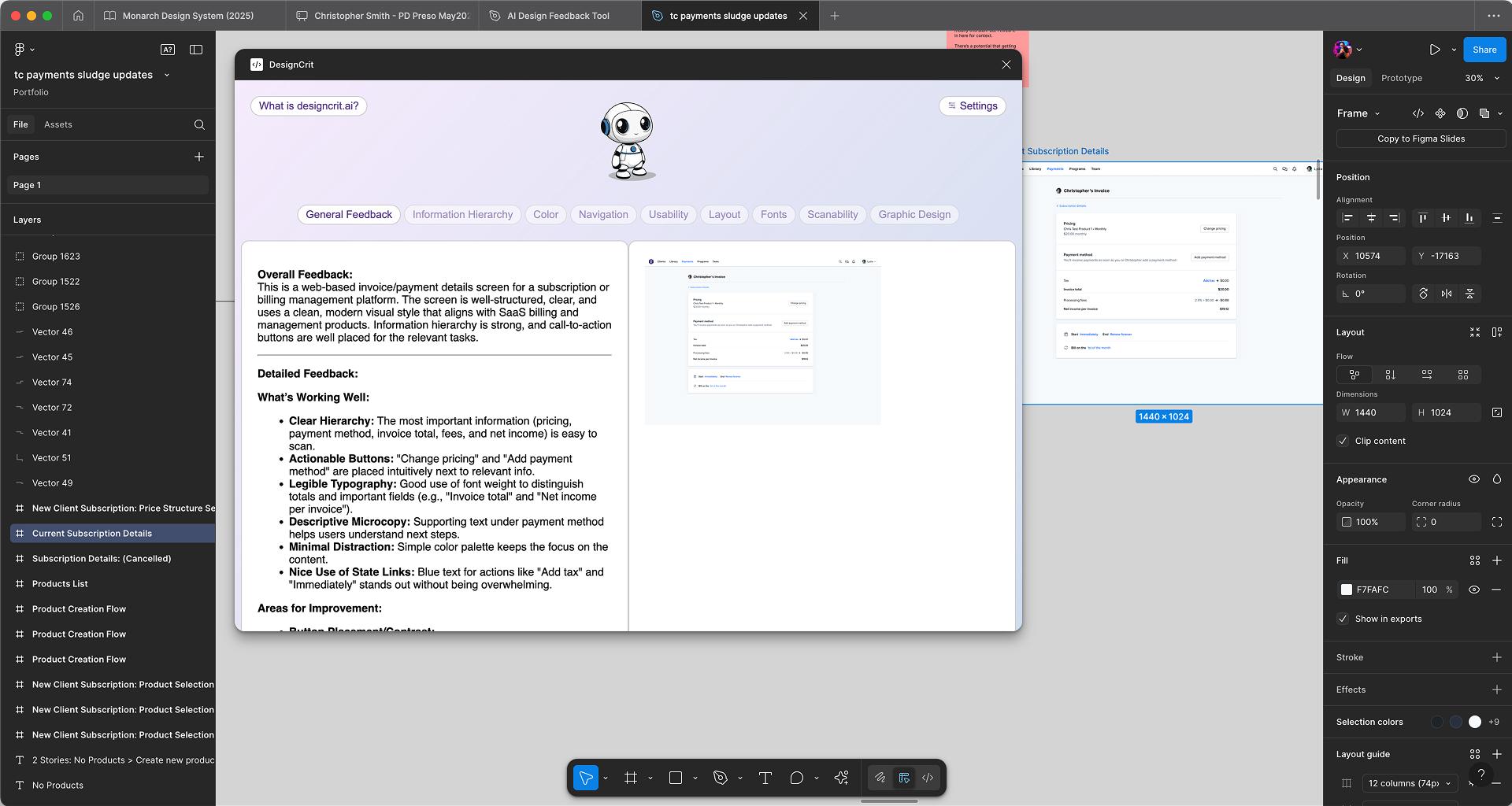
Image note: Version 1 of the plugin - functional but rough around the edges.
What Went Wrong
People used it. That was good. But they also kept hitting the same frustrations:
- "I just wasted a request on the wrong layer" — No preview meant people would accidentally select the wrong thing and burn through their daily limit
- "I can't find the actual problems" — The AI gave useful feedback, but it was unstructured paragraphs. Users wanted to quickly scan for issues, not read through praise to find suggestions
- "How do I share this with my team?" — Copy-pasting AI feedback into Slack or Figma comments felt clunky
- "I don't know what this does" — New users had no onboarding. They just saw a form and guessed.
The plugin worked, but it wasn't actually solving the problem the way designers needed it to. It was a tech demo, not a product.
Version 2: Rebuild to Get It Right
I could have patched v1 with band-aid fixes. But the architecture—vanilla HTML and JavaScript—was the bottleneck. Every new feature felt like a hack. If I wanted this to actually work for people, I needed to rebuild it properly.
So I did. React 18, TypeScript, proper state management, esbuild pipeline with SCSS. The new architecture cleanly separates the Figma main thread (handling node access and API calls) from the UI thread (React rendering and user interactions).
It took longer than I wanted. But now the features users asked for are straightforward to implement instead of impossible.
What Actually Changed
Preview Before You Submit You now see exactly what will be analyzed before sending the request. You can also add context—"This is a checkout flow for an e-commerce app targeting young adults"—which dramatically improves feedback relevance. No more wasted requests.
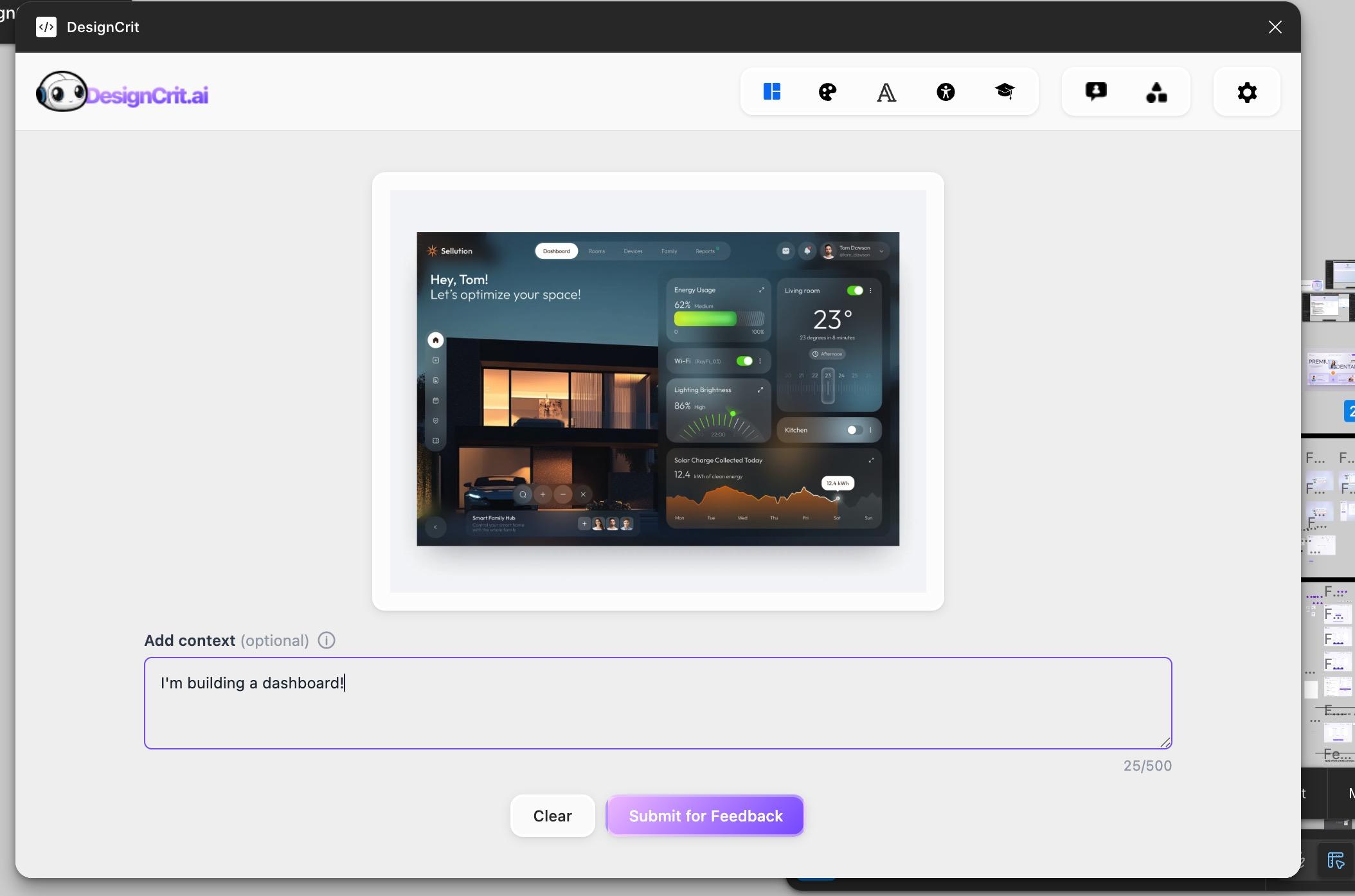
Image note: Adding context before submitting helps the AI provide more relevant, targeted feedback.
Structured Feedback with Filtering The AI now categorizes feedback as Strengths, Suggestions, or Issues. You can filter to see only what matters. Designers wanted to scan for problems fast—this makes that possible.
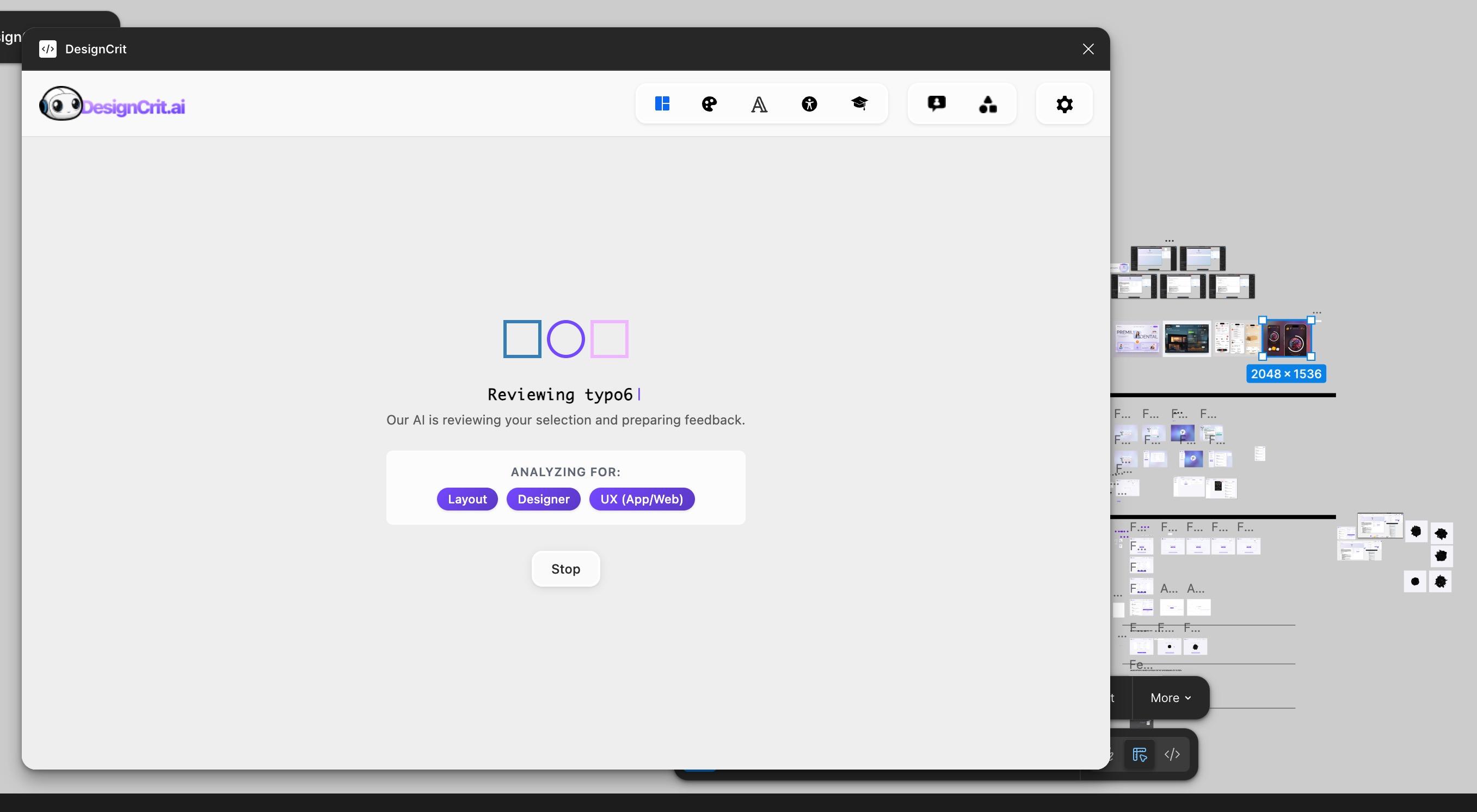
Image note: The AI analyzes your design based on selected criteria like Layout, Designer perspective, and UX principles.
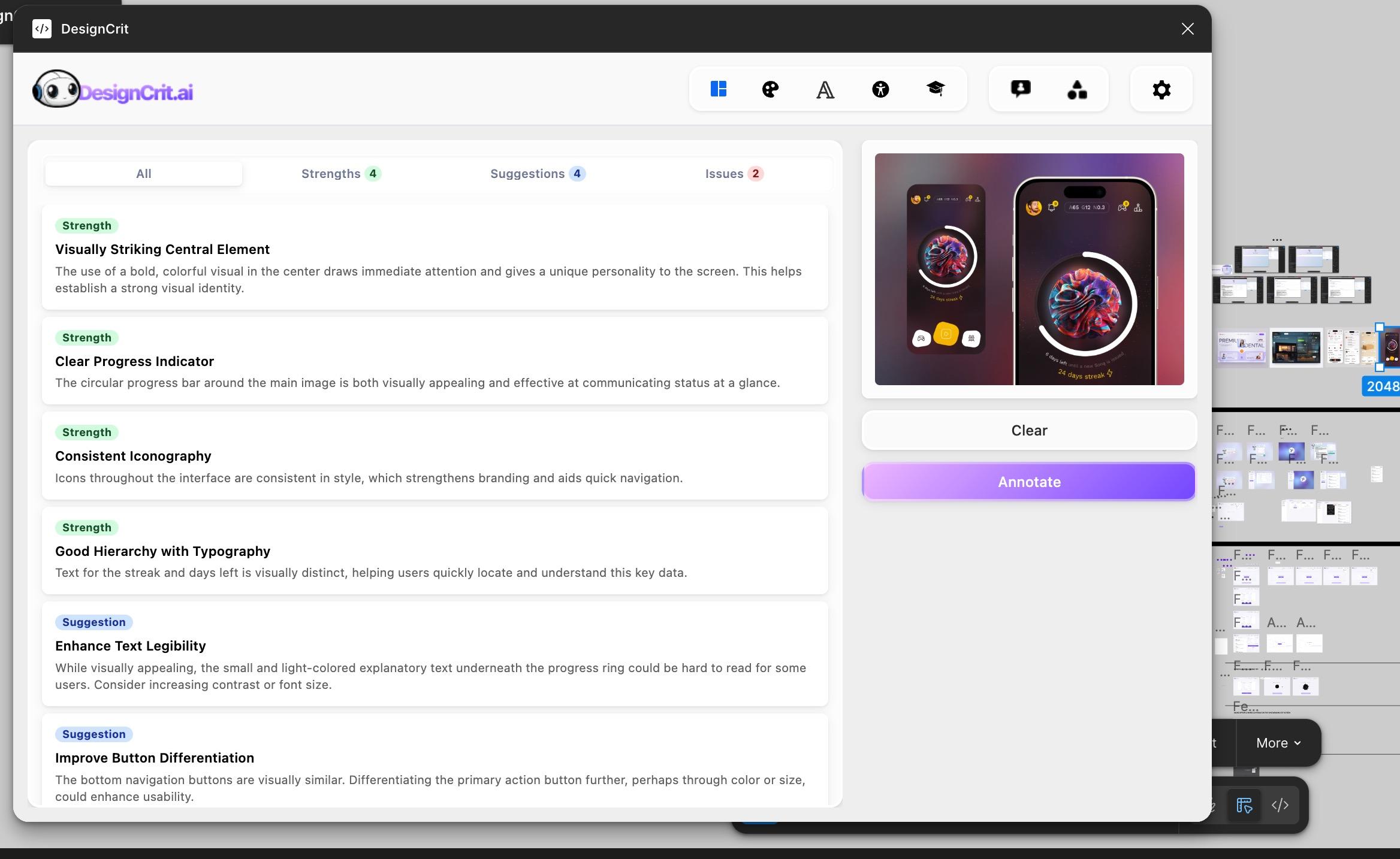
Image note: Feedback is organized into clear categories with filtering options for quick scanning.
Native Figma Annotations This is the feature I'm most excited about. After getting feedback, you can annotate your design directly in Figma. The AI's critique gets formatted as markdown and attached to the analyzed element using Figma's native annotation system. Your team sees it. Future you sees it. It lives where the design lives.
Actual Onboarding A guided walkthrough now explains how the plugin works on first launch. It reappears after 30 days for returning users who might need a refresher.
Request Management You can stop an analysis mid-request if you realize you selected the wrong thing. And if you change your feedback criteria while viewing results, the plugin asks if you want to resubmit with new settings—instead of wiping your previous analysis.
Performance Fixes The plugin now intelligently scales images (~1500px for analysis, ~2000px for previews, with a 16 megapixel hard limit). This fixed performance issues for users analyzing massive artboards.
What I Learned
- Ship fast, but expect to rebuild — v1 validated the idea. v2 made it actually useful. Both were necessary.
- Users tell you what's broken if you ask — The Discord community gave me the exact roadmap for v2. I just had to listen.
- Architecture matters for iteration — v1's vanilla JS approach let me ship fast, but it became the ceiling. Rebuilding with React/TypeScript unlocked faster feature development.
- Designers don't want AI to replace humans — They want it to fill the gap when human feedback isn't immediately available. That framing matters.
- Unstructured feedback is noise — Even good critique is useless if you can't quickly scan for what matters. Structure beats volume.
What's Next
The foundation is solid now. Current roadmap:
- User authentication — Add user auth for better usage tracking and premium tier options
- Targeted annotations — Add ability to tag specific parts of the design with annotations, not just generalized feedback
- Specific change suggestions — Enable the AI to suggest specific changes to specific parts of the design
- Automated design changes — Potentially add ability to have the plugin make design changes directly in Figma
- Performance optimization — Decrease processing time by sending code/text instead of image screenshots
- User feedback loop — Get more user feedback to guide feature development
The rebuild took longer than expected, but the new foundation makes iteration much faster. Features that would have been impossible in v1 are now straightforward additions.